Canon Rebel T7/2000: A Comprehensive Manual Guide
This guide details the Canon EOS Rebel T7/1500D, a 24.1MP digital SLR with DIGIC 4+, offering 9-point AF, 3fps shooting, and Full HD video capabilities.
Welcome to the world of digital SLR photography with the Canon EOS Rebel T7, also known as the EOS 1500D! This camera serves as an excellent entry point for aspiring photographers, blending user-friendliness with impressive image quality. It boasts a 24.1-megapixel CMOS sensor and the DIGIC 4+ image processor, delivering detailed and vibrant photos.
Before embarking on your photographic journey, carefully review the included safety instructions and handling precautions. This manual is designed to familiarize you with all the camera’s features, ensuring optimal performance and preventing potential issues. Remember to test the camera and memory card to verify proper functionality, as Canon assumes no liability for lost or corrupted data.
Key Features and Specifications
The Canon Rebel T7/2000 stands out with its core specifications. It features approximately a 24.1 effective megapixel CMOS sensor, capturing high-resolution images. Powered by the DIGIC 4+ image processor, it delivers efficient performance. The camera offers a 9-point autofocus system for accurate subject tracking and achieves continuous shooting at approximately 3.0 frames per second.
Furthermore, it supports Full HD movie recording, enabling you to capture videos in stunning detail. Integrated Wi-Fi and NFC capabilities allow for easy wireless image transfer and remote control. Note that the camera does not include a Software CD-ROM, interface cable, or HDMI cable.
Unboxing and Initial Setup
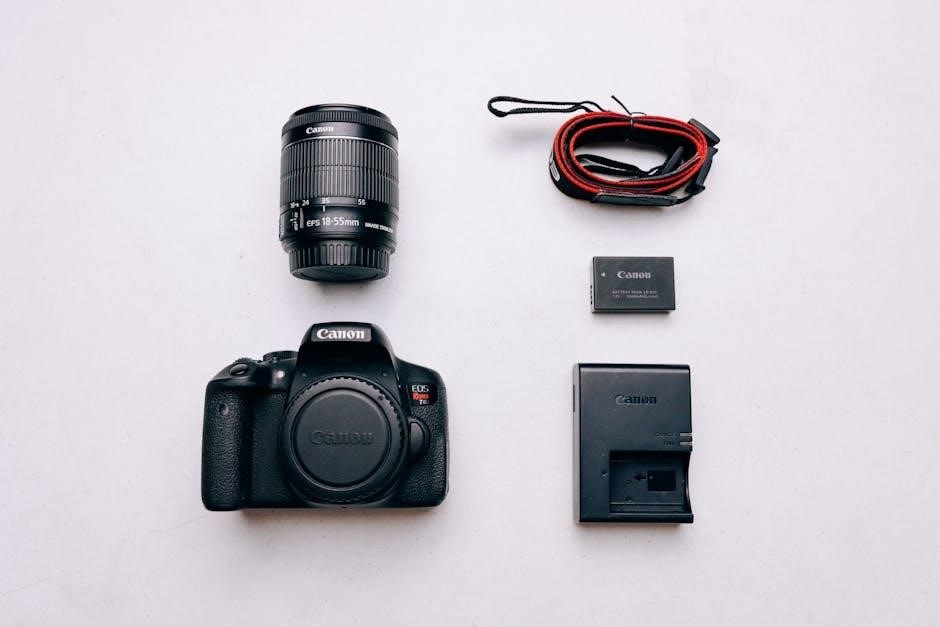
Upon unboxing your Canon Rebel T7/2000, carefully inspect the contents. While the camera itself is present, remember it doesn’t include a Software CD-ROM, interface cable, or HDMI cable – these must be purchased separately if needed. Begin by inserting a compatible memory card (sold separately) to store your photos and videos.
Power on the camera and follow the on-screen prompts to set the initial settings, including the date, time, and language. Before starting to shoot, thoroughly review the “Safety Instructions” and “Handling Precautions” detailed in the included manual to ensure safe and proper operation.
Understanding the Camera Body
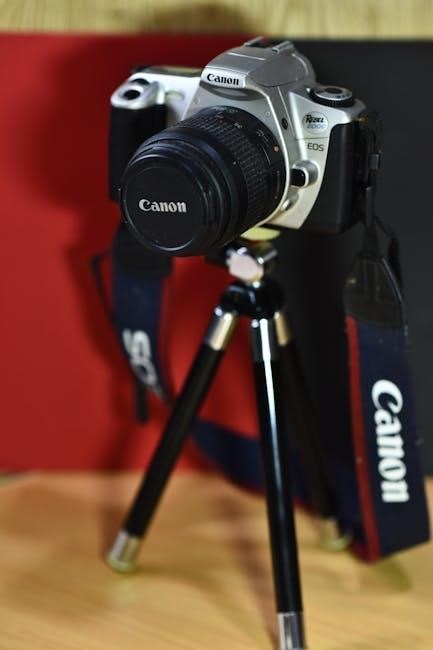
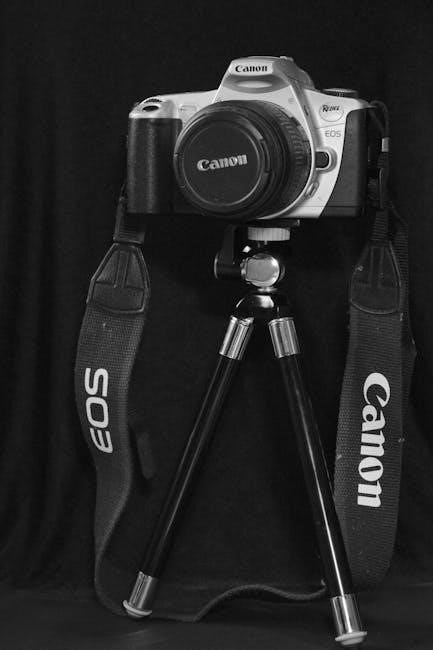
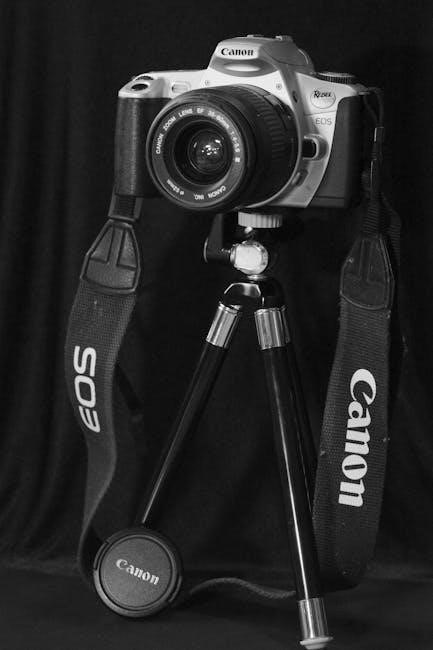
The Canon EOS Rebel T7/1500D features a digital single-lens reflex design, optimized for user accessibility and delivering high-quality imaging performance.
Front and Rear Panel Overview
The Canon Rebel T7/2000’s front panel houses the lens mount, AF-assist beam emitter, and the remote control receiver. Carefully attaching compatible lenses is crucial for optimal image quality. The rear panel prominently features a 3.0-inch LCD screen for live view shooting and playback.
Essential controls located here include the viewfinder for traditional shooting, the multi-controller for navigating menus, and buttons for playback, menu access, and information display. The rear panel also provides access to the memory card slot and connectivity ports, enabling image transfer and external display options. Familiarizing yourself with these components is key to efficient operation.
Top Panel Controls and Functions
The Canon Rebel T7/2000’s top panel provides quick access to essential shooting settings. The power switch initiates camera operation, while the mode dial allows selection of various shooting modes – Auto, Scene Intelligent Auto, and creative modes like Portrait or Sports.
A shutter button controls image capture, and the main dial adjusts settings like aperture and shutter speed in creative modes. Additionally, a dedicated video recording button initiates Full HD movie shooting. These controls enable photographers to swiftly adjust camera settings and capture desired images, enhancing the overall shooting experience.
Button and Dial Functions Explained
The Canon Rebel T7/2000 features intuitive button and dial controls for precise adjustments. The main dial facilitates aperture and shutter speed control in creative modes, influencing depth of field and motion blur. The AF Point Selection button allows users to choose specific autofocus points for accurate focusing.
The Menu button accesses the camera’s comprehensive settings, while the Info button displays shooting information on the LCD screen. These controls, combined with the mode dial, empower photographers to customize settings and achieve desired photographic results, enhancing creative control.
Basic Camera Operations
Essential operations include powering the camera, managing battery life, inserting and formatting memory cards, and accurately setting the date, time, and language.

Powering On/Off and Battery Management
To power on the Canon Rebel T7/2000, locate the camera’s power switch, typically around the shutter button. Ensure a charged battery is inserted correctly into the battery compartment. The camera will initiate startup, displaying the image on the LCD screen. To power off, return the switch to the ‘OFF’ position.
Battery life is crucial; avoid prolonged Live View shooting as it drains power faster. Consider purchasing a spare battery for extended shooting sessions; Canon recommends fully charging the battery before initial use and storing it properly when not in use to maximize its lifespan. Monitor the battery level indicator on the LCD screen.
Inserting and Formatting Memory Cards
The Canon Rebel T7/2000 utilizes SD, SDHC, and SDXC memory cards. Locate the memory card slot, usually on the side of the camera, and gently insert the card until it clicks into place. Avoid forcing it. To remove, press the card inward to release it.
Formatting is essential for optimal performance and compatibility. Access the ‘Format’ option within the camera’s menu. Be aware that formatting erases all data on the card! Back up important images before formatting. Canon recommends formatting cards in-camera rather than on a computer for best results and to prevent potential errors.
Setting the Date, Time, and Language
Accurate date and time settings are crucial for proper image organization and metadata. Access the camera’s menu and navigate to the ‘Date/Time’ settings. Use the dials to adjust the year, month, day, hour, and minute. Ensure the time is set correctly for your time zone.
The language setting allows you to customize the camera’s interface. Within the menu, locate the ‘Language’ option and select your preferred language from the available list. This affects all on-screen displays and menu options. Proper setup ensures a user-friendly experience.
Shooting Modes and Settings
The Rebel T7 offers Auto, Scene Intelligent Auto, and Creative modes (Portrait, Landscape, Sports) for diverse shooting scenarios and user control.
Auto Mode for Beginners
For those new to photography, the Canon Rebel T7’s Auto mode simplifies operation, letting the camera handle all settings. This includes aperture, shutter speed, ISO, and white balance, ensuring properly exposed images in most conditions. It’s ideal for everyday snapshots and quick shooting without needing technical knowledge.
Simply point and shoot; the camera intelligently assesses the scene and optimizes settings for best results. While offering convenience, Auto mode limits creative control. Users seeking more customization should explore Scene Intelligent Auto or the Creative modes. Remember to review images to understand how the camera interprets different scenes.
Scene Intelligent Auto Mode
Canon’s Scene Intelligent Auto mode goes beyond basic Auto, analyzing the scene to select the optimal settings for various shooting situations. It recognizes common scenes like portraits, landscapes, sports, and low-light conditions, adjusting camera parameters accordingly. This provides better results than standard Auto, offering improved color, contrast, and white balance tailored to the subject.
The camera automatically detects the scene and applies the appropriate settings, simplifying the process for users who want enhanced image quality without manual adjustments. It’s a great stepping stone towards more creative control, offering a balance between convenience and customization.
Creative Modes: Portrait, Landscape, Sports, etc.
The Canon Rebel T7/2000 offers several pre-set Creative Modes designed for specific photographic scenarios. Portrait mode blurs the background for appealing subject isolation, while Landscape prioritizes sharpness and vivid colors for expansive scenes. Sports mode utilizes faster shutter speeds to freeze action, minimizing motion blur.
Other modes include Close-up for macro photography, Night mode for low-light conditions, and Kids mode for capturing fast-moving children. These modes simplify achieving desired effects, offering a user-friendly approach to exploring different photographic styles without complex manual settings.
Focusing and Image Quality
The Rebel T7/2000 features a 9-point autofocus system and allows selection between One-Shot for static subjects and AI Servo for tracking motion.
Understanding Autofocus Points
The Canon Rebel T7/2000 utilizes a 9-point autofocus (AF) system, crucial for achieving sharp and well-focused images. These points are strategically positioned across the viewfinder to detect contrast and lock focus on your subject.
Understanding how these points function is key to maximizing image quality. The central AF point is generally the most sensitive and accurate, ideal for stationary subjects. The surrounding points assist in tracking moving objects when using AI Servo AF mode.
You can select individual AF points or allow the camera to automatically choose one via Auto AF point selection. Experimenting with different point selections will help you master focusing in various shooting scenarios, ensuring consistently sharp results.
Focus Modes: One-Shot, AI Servo
The Canon Rebel T7/2000 offers two primary autofocus (AF) modes: One-Shot and AI Servo. One-Shot AF is perfect for stationary subjects; it locks focus when the shutter button is half-pressed, ideal for landscapes or portraits. Once locked, focus remains fixed even if the subject moves.
AI Servo AF, conversely, is designed for tracking moving subjects. It continuously adjusts focus as long as the shutter button is half-pressed, ensuring the subject remains sharp during action sequences.
Selecting the appropriate mode is vital for capturing clear images.
Image Quality Settings: RAW vs. JPEG
The Canon Rebel T7/2000 allows you to choose between shooting in RAW and JPEG formats. JPEG files are compressed, resulting in smaller file sizes and are ready for immediate use, but offer limited editing flexibility.
RAW files, however, contain all the data captured by the sensor, providing significantly greater latitude for post-processing adjustments like white balance, exposure, and color correction.
While RAW files are larger and require editing software, they are preferred by serious photographers seeking maximum image quality and control.
Advanced Features and Settings
Explore Live View shooting, Full HD movie recording, and convenient Wi-Fi/NFC connectivity options to enhance your photographic experience with the Canon Rebel T7.
Live View Shooting and its Benefits
The Canon Rebel T7/2000 offers Live View shooting, allowing you to compose and review images on the camera’s LCD screen, similar to using a smartphone camera. This feature is incredibly beneficial for precise composition, especially when using a tripod, and for shooting from awkward angles where using the viewfinder is difficult.
Live View also enables the use of the camera’s digital zoom, providing a closer look at your subject. Furthermore, it facilitates easier manual focusing, as you can visually confirm sharpness on the LCD. It’s a versatile tool for both beginners and experienced photographers seeking greater control and convenience during their shooting sessions.
Full HD Movie Recording
The Canon Rebel T7/2000 empowers you to capture stunning Full High-Definition (Full HD) movies, bringing your memories to life with exceptional clarity. This camera allows for recording videos at 1920 x 1080 resolution, delivering detailed and vibrant footage.
Movie recording is initiated through a dedicated button, simplifying the process. While recording, you can utilize autofocus, ensuring your subjects remain sharp and in focus. The camera’s image stabilization features also contribute to smoother, more professional-looking videos. It’s a fantastic feature for documenting events, creating short films, or simply preserving cherished moments in motion.
Wi-Fi and NFC Connectivity
The Canon Rebel T7/2000 boasts integrated Wi-Fi and NFC (Near Field Communication) capabilities, streamlining image and video sharing. These features allow for seamless wireless transfer of your creations to compatible smartphones and tablets.
With Wi-Fi, you can remotely control the camera from your mobile device, enabling unique shooting perspectives and convenient self-portraits. NFC simplifies pairing by simply tapping your device to the camera. This connectivity facilitates easy uploading to social media platforms and cloud storage services, keeping you connected and sharing your vision effortlessly.
Troubleshooting Common Issues
This section addresses error messages, image quality problems, and connectivity issues, offering solutions to ensure smooth operation of your Canon Rebel T7/2000.
Error Messages and Solutions
Encountering error messages on your Canon Rebel T7/2000 can be frustrating, but often easily resolved. The manual emphasizes checking recorded images after shooting to verify proper function.
If images aren’t recording or downloading, a faulty camera or memory card might be the cause, though Canon isn’t liable for resulting loss. Common errors include card errors (reformat or try a different card), lens communication issues (clean contacts), and battery warnings (charge or replace).
Consult the full manual (available online at Canon’s website) for a comprehensive list of error codes and specific troubleshooting steps. Regularly updating the camera’s firmware can also prevent some errors.
Image Quality Problems and Fixes
Achieving optimal image quality with your Canon Rebel T7/2000 requires understanding settings and potential issues. The camera boasts a 24.1MP sensor, but factors like lens quality, lighting, and camera settings significantly impact results.
Blurry images often stem from incorrect focus (use One-Shot for static subjects, AI Servo for moving ones) or slow shutter speeds (increase ISO or use a tripod). Noise appears in low light; lower ISO or use noise reduction.
Experiment with RAW vs. JPEG; RAW offers greater editing flexibility. Refer to the manual for detailed explanations of image quality settings and troubleshooting guides.
Connectivity Issues and Troubleshooting
The Canon Rebel T7/2000 features Wi-Fi and NFC for wireless image transfer and remote control. Connectivity problems can arise from incorrect settings or device incompatibility. Ensure Wi-Fi is enabled on both the camera and your smartphone/tablet.
Check the Canon Camera Connect app is up-to-date. If pairing fails, try resetting both the camera’s Wi-Fi settings and the app’s connection.
Refer to the manual (p.4, 315) for detailed instructions on establishing a connection. Canon’s website (www.canon.com/icpd) provides further support and troubleshooting resources for connectivity issues.
Maintenance and Care
Regularly clean the camera body and lens to ensure optimal performance. Store the camera safely and consult Canon’s website for firmware updates.
Cleaning the Camera Body and Lens
To maintain your Canon Rebel T7/2000, regularly clean both the camera body and the lens. Use a soft, dry cloth to wipe away dust and fingerprints from the exterior. For stubborn smudges, slightly dampen the cloth with lens cleaning fluid – never apply liquid directly to the camera or lens.
Be especially careful when cleaning the lens; use lens paper designed for delicate optical surfaces. Avoid harsh chemicals or abrasive materials that could scratch the coating. Gently brush away any loose particles before wiping. Regularly check the sensor for dust, and use a dedicated sensor cleaning kit if necessary, following the instructions carefully.
Storage and Transportation Tips
When storing your Canon Rebel T7/2000, keep it in a cool, dry place away from direct sunlight and extreme temperatures. A camera bag is highly recommended for transportation, providing cushioning and protection against bumps and scratches. Consider using a desiccant pack inside the bag to absorb moisture, especially in humid environments.
Remove the battery if storing the camera for an extended period. Avoid placing heavy objects on top of the camera bag. Securely fasten all compartments and straps during travel to prevent accidental openings and potential damage. Protect the lens with a cap and the camera body from dust.
Firmware Updates and Resources
Canon regularly releases firmware updates for the Rebel T7/2000 to improve performance and add new features. Download these updates from the official Canon website (www.canon.com/icpd) and follow the provided instructions carefully during installation.
The Canon website also offers comprehensive support resources, including downloadable instruction manuals (PDF format), FAQs, and troubleshooting guides. Utilize these resources to maximize your camera’s potential and resolve any issues you may encounter. Registering your camera on the Canon website grants access to exclusive content and support options.